Architecture
O_o_Solver turns validated model tables into finite element systems and result arrays. This guide follows the data through the public entry points and shows where the implementation responsibilities sit.
Reader and solver boundary
In JavaScript, Reader and Solver are separate WASM modules. In Python, oo_reader and
oo_solver run in one CPython process. model_from_reader(deck) imports Arrow buffers
through release callbacks, and result arrays retain their native owner. The diagram below
shows the WebAssembly transport.
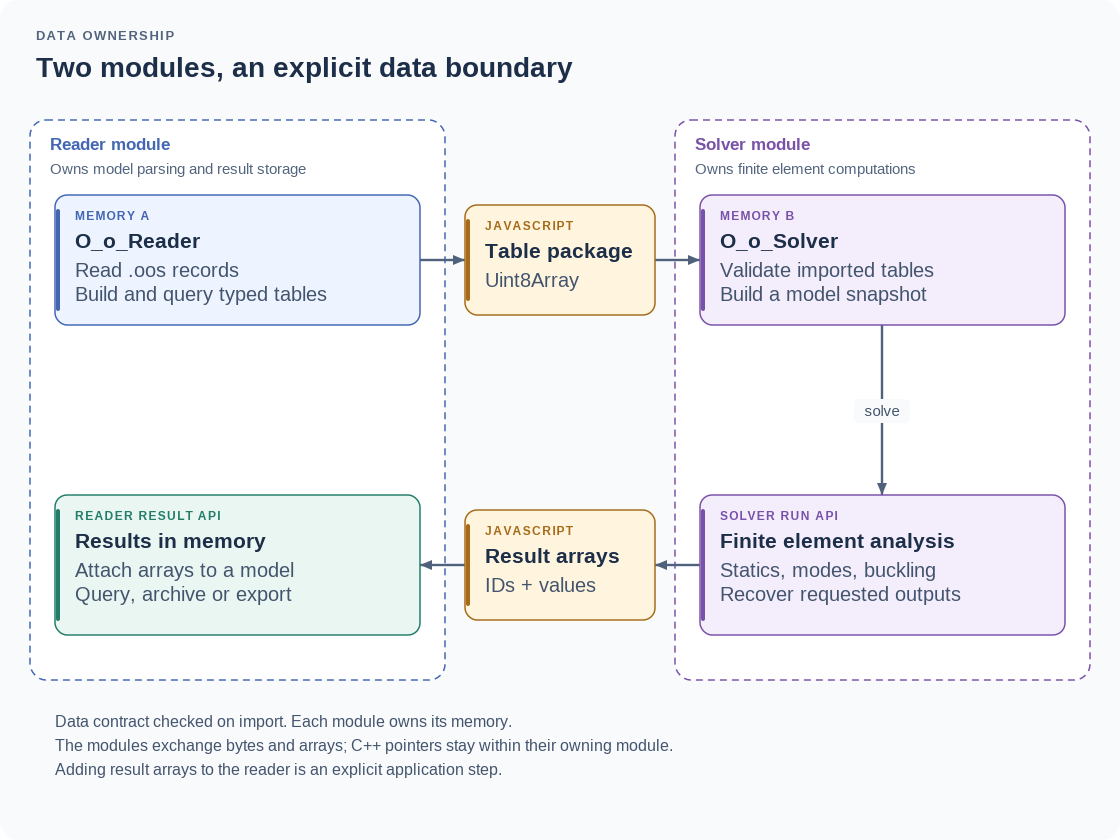
The application coordinates the two modules. Their C++ libraries and WebAssembly memories stay independent.
O_o_Reader parses .oos records and exposes query tables. modelFromReader obtains the tables the solver needs,
serializes them as table packages, and imports them through api::ModelInput. The solver checks the data contract
before constructing its model snapshot. The table-package guide describes the transport.
The imported byte package has an owner in the receiving module. The snapshot and its typed table views retain the owners they borrow from. Sharing a column inside that module does not expose a pointer into the reader’s memory.
The solver returns arrays with IDs, component names and values. An application can pass these arrays to the reader’s result API for querying, archiving or workbook export. That handoff is an explicit application operation.
Library dependencies
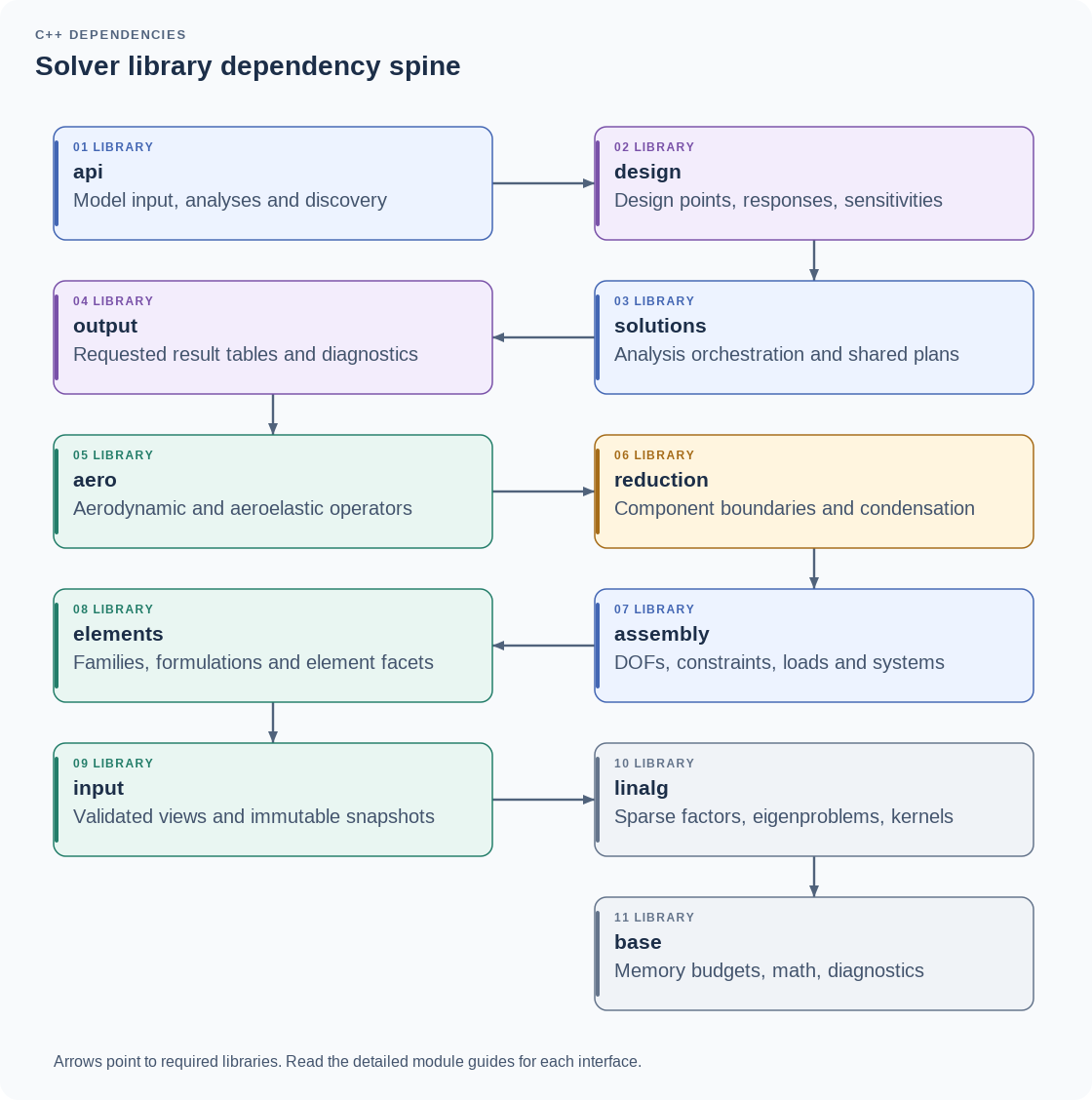
Each arrow points from a library to a directly required library. The chain follows the build definitions.
The module guide links the detailed responsibilities and entry points. The public facade sits above the
design and solution libraries. Numerical element code receives input views and uses linear algebra; it does not parse
model text. Platform access and memory budgets are confined to base.
The WebAssembly bindings in Bindings.cpp convert values between JavaScript and the C++ facade. The API reference includes the facade headers and current JavaScript declarations.
Calculation lifecycle
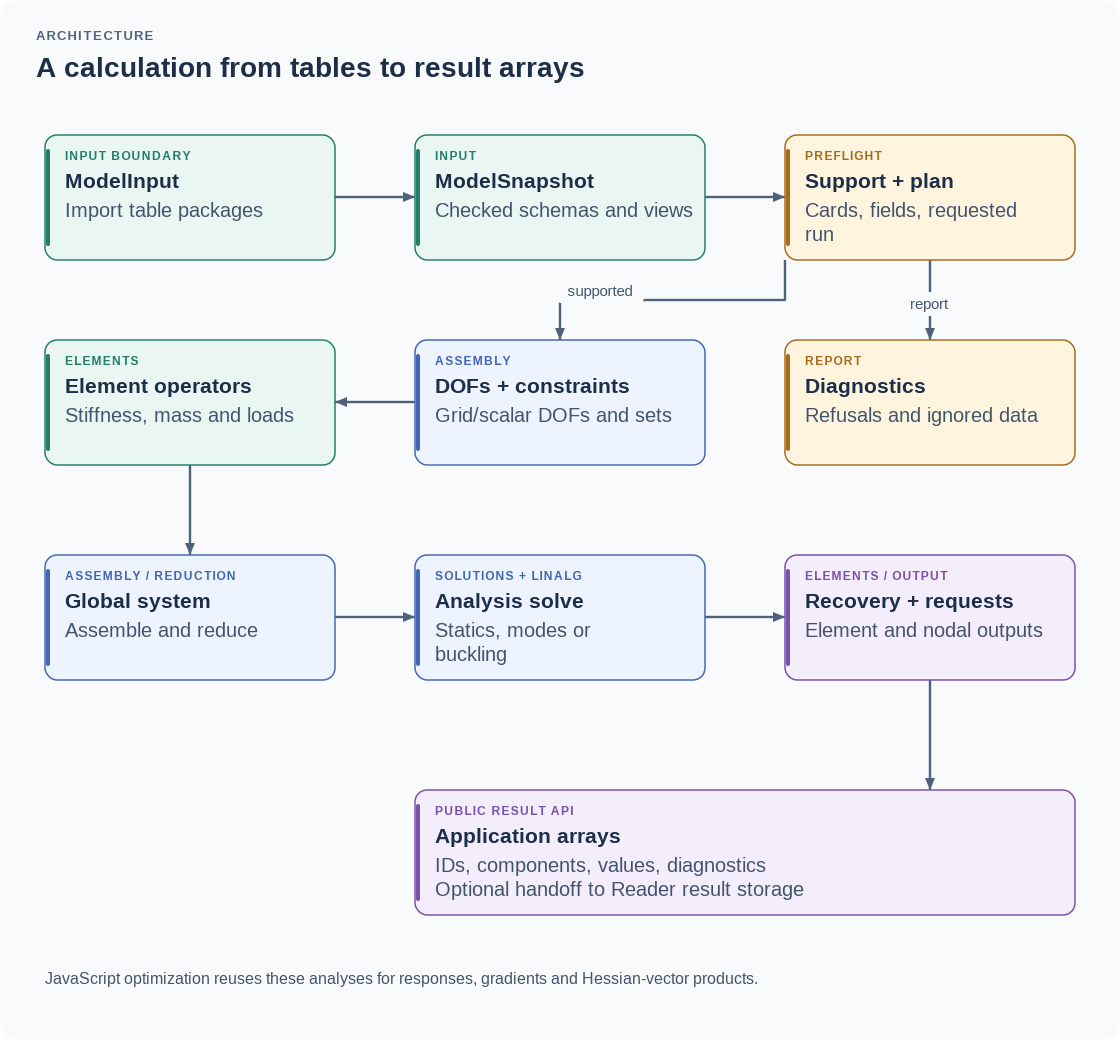
Support, assembly, solving and recovery are distinct stages with their own data and diagnostics.
Import and snapshot.
SnapshotBuilderchecks the columns, types and contract metadata, then produces an immutableModelSnapshot. Optional tables are present only when the caller supplied them.Support and planning. The selected analysis checks cards, field values, formulations and output requests. Inspect both refusals and ignored data before using a run.
DOFs and assembly. The assembly module constructs degree-of-freedom sets and constraint equations. Element families supply local operators; assembly and reduction form the systems to solve.
Analysis. The solution modules coordinate statics, modes and buckling using the factorization and eigenvalue machinery in
linalg.Recovery and output. Element recovery evaluates the requested fields. Output plans select the tables to return, including their row IDs, components, analysis steps and diagnostics.
The input guide, assembly guide,
reduction guide and solution guide cover these stages.
The optimization facade retains these analyses at each design point, then computes responses,
first derivatives and supported second derivatives. JavaScript drives the iteration through OptimizationProblem
and OptimizationEvaluation; trial snapshots do not edit the Reader model. The C++ library also provides component
workflows beyond these entry points.
Element families and formulations
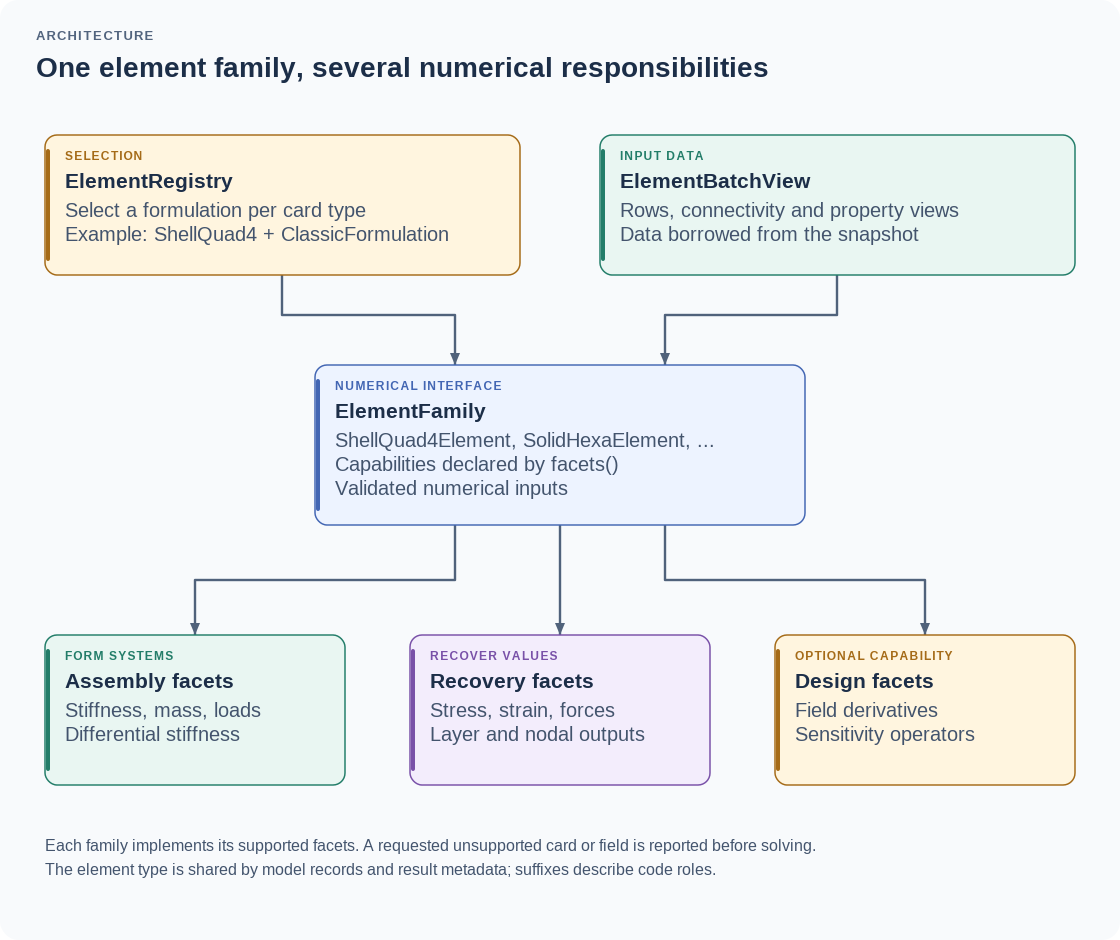
A family declares its capabilities through facets. The formulation is selected separately from the element type.
ElementRegistry chooses one formulation for each card type. ElementBatchView presents rows, connectivity,
properties and materials from the snapshot. An ElementFamily then supplies the facets it supports: stiffness,
mass, loads, differential stiffness, recovery and design derivatives.
The common interface lets assembly request an operation without embedding the implementation of each element.
For example, ShellQuad4Element and SolidHexaElement have different numerical kernels but participate through the
same family interface. The element guide documents the formulations and their limits.
Model records and result elementType values use the same exact root. Code adds a role suffix, as in
ShellQuad4Element and ShellQuad4Geometry. See element naming for the convention and compatibility.
Execution and ownership
Native builds and the threaded WebAssembly variant use the project’s thread pool. The default
WebAssembly variant runs on its calling thread. Both WebAssembly variants use Memory64. Budgeted objects and
retained owners govern the lifetime of imported data, factors and cached structures.
Release model objects held by native code with delete() after their last use.
The diagrams are committed SVG images. Their editable specifications and renderer are described in the documentation maintenance guide.